Automatically detect abnormalities during durability testing
Essential for Quality Assurance: "Durability Testing"
In product development, engineers pursue product reliability through various evaluation tests.
For instance, they challenge issues such as whether the product operates correctly in temperature environments of -10°C to 50°C, or whether malfunctions occur during power abnormalities like momentary interruptions or voltage fluctuations. From a quality assurance perspective, products are also required to maintain safety during continuous use and preserve quality over years of usage.
To ensure these levels of reliability, "durability testing" over a long period is indispensable for operational verification.
Challenges of Durability Testing
In durability testing, extensive waveform observation is conducted, such as 10,000 operations or continuous operation for a month.
The task of engineers evaluating each waveform one by one is incredibly burdensome and inefficient.
In busy environments, verification may be limited to "every 100 operations" or "only at the beginning and end," increasing the risk of missing unexpected malfunctions.
Some engineers save all waveform data for later review, but this requires a significant amount of time and effort.
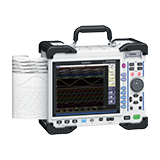
To address these challenges, the waveform judgment function of the Memory HiCorder MR8848 comes into play. This feature resolves issues in durability testing!

Efficiently Detect Abnormalities with "Waveform Judgment"
Consider observing pulse waveforms generated during power-on as an example.
In durability tests, similar waveforms are repeated, making it extremely difficult to visually identify abnormal waveforms.
This is where the MR8848's "Waveform Judgment (Area Judgment)" function proves invaluable.
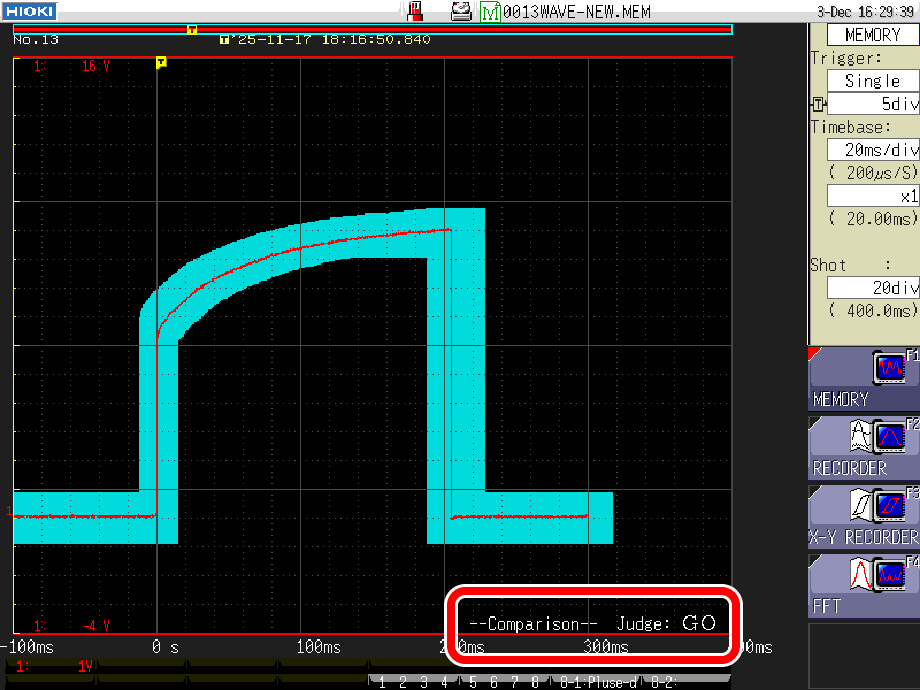
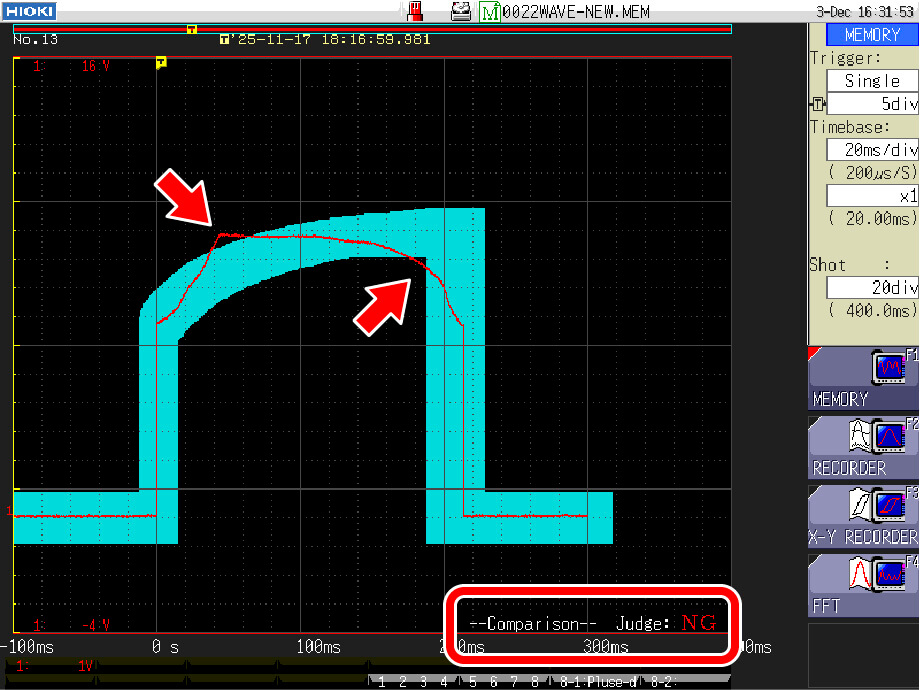
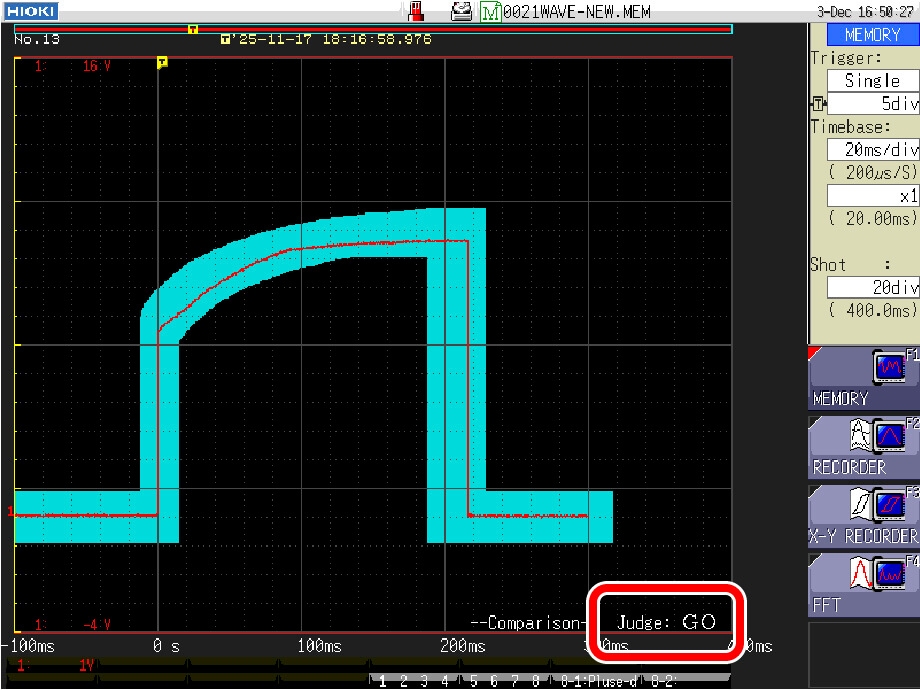
It allows you to define the range (area) of acceptable waveforms, automatically judging waveforms within this area as "GO" (acceptable).
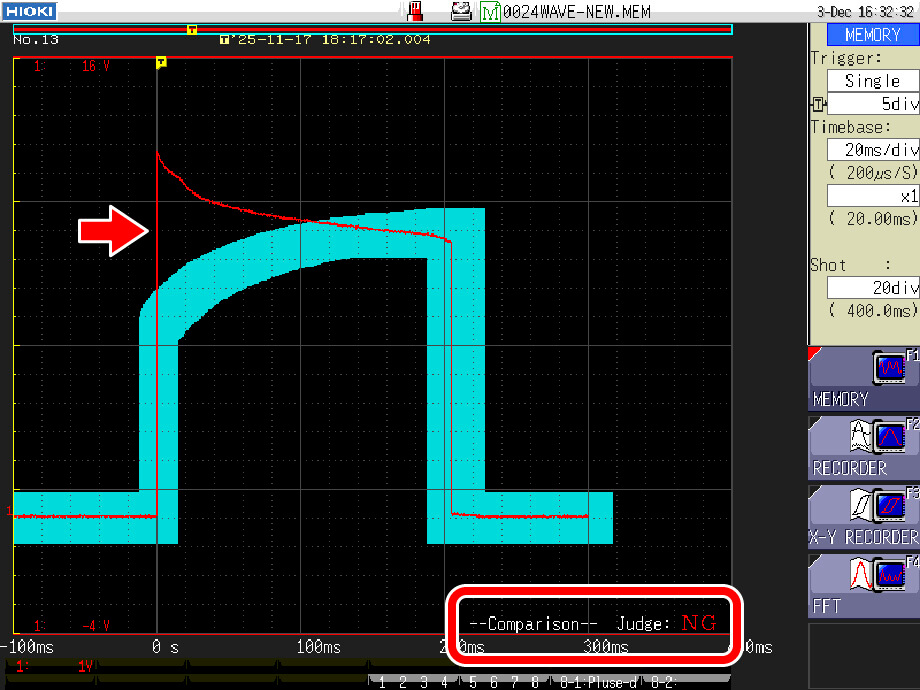
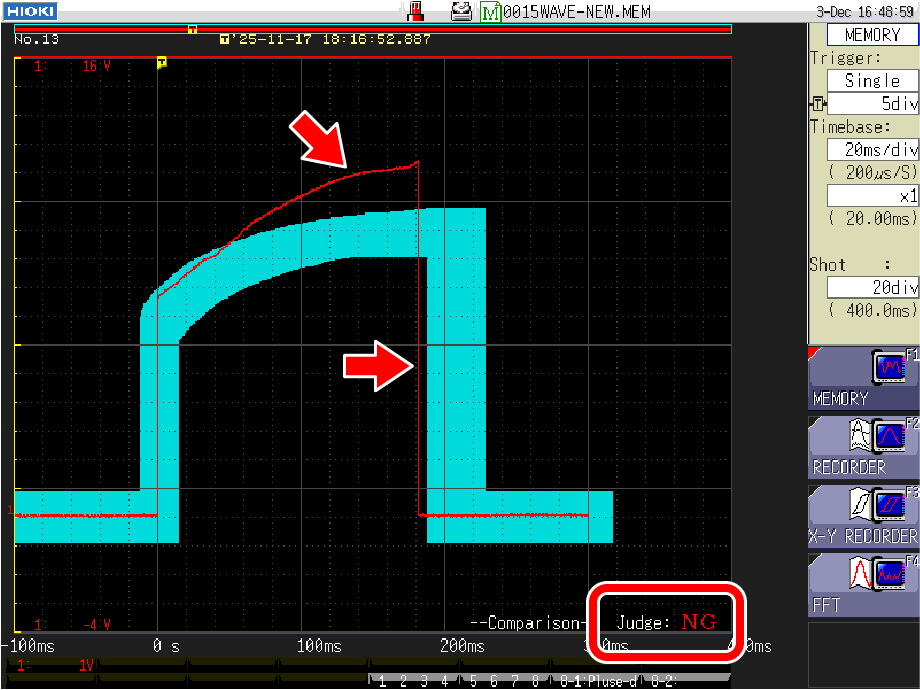
Waveforms that deviate even slightly from this area are judged as "NG" (not acceptable), and only the NG waveform data is saved to storage media (SD card, USB memory, or internal SSD).
The number of malfunctions can be immediately identified by the count of saved files, and the occurrence time can be pinpointed through the saved timestamps.
Furthermore, the abnormal waveform data can be loaded for detailed analysis.
With the waveform judgment function, durability testing becomes both reliable and efficient.
Good waveforms judged as “GO”
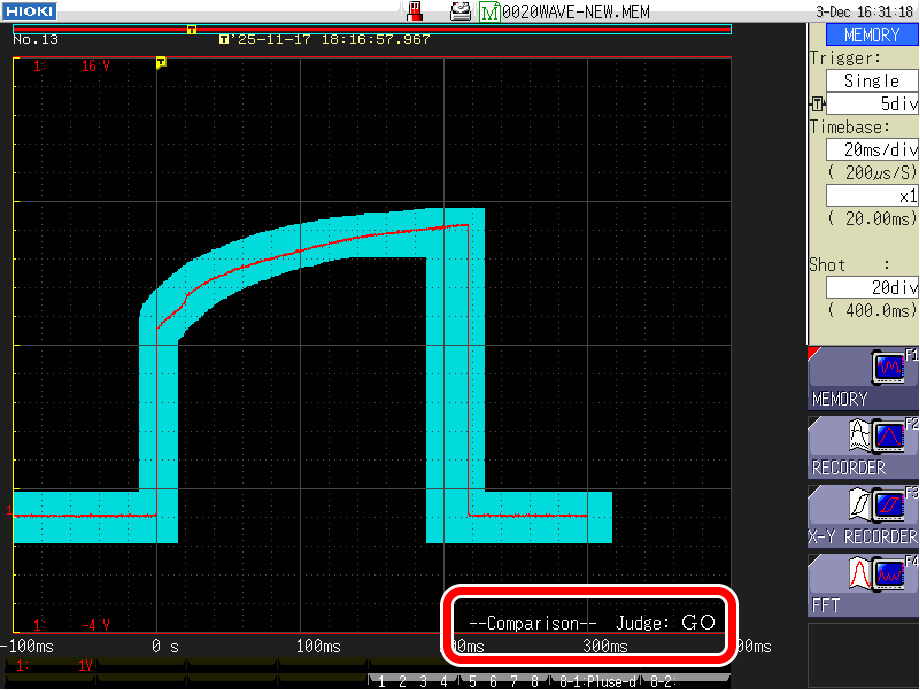
Abnormal waveforms judged as “NG”
How to Use the "Waveform Judgment" Function
The "judgment area" used for waveform judgment can be created in the "Area Creation Screen" of the MR8848.
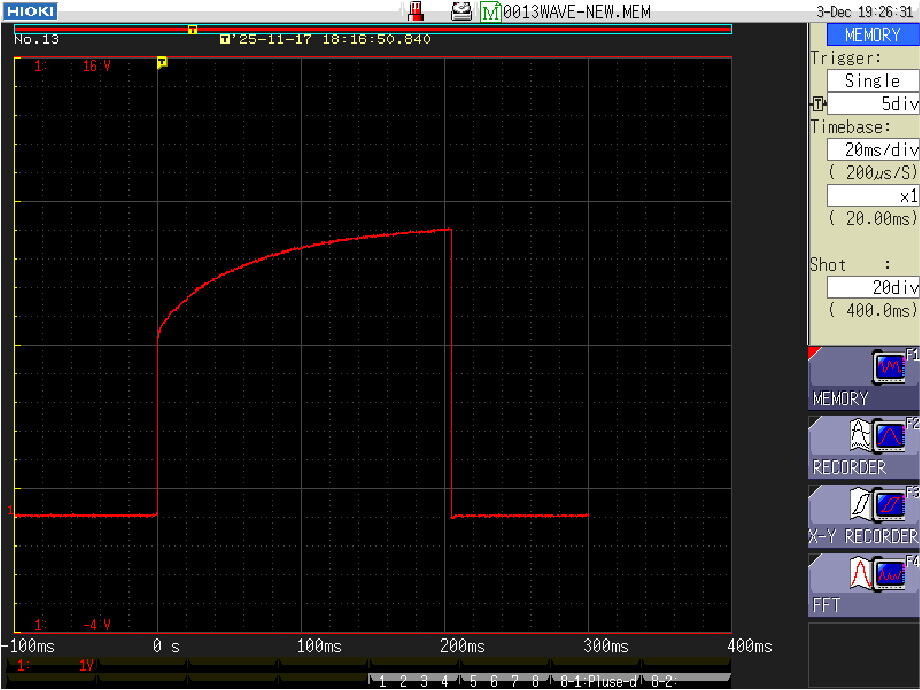
1. Measure the waveform of a good sample
The MR8848 can use a measured waveform as the basis for the judgment area.
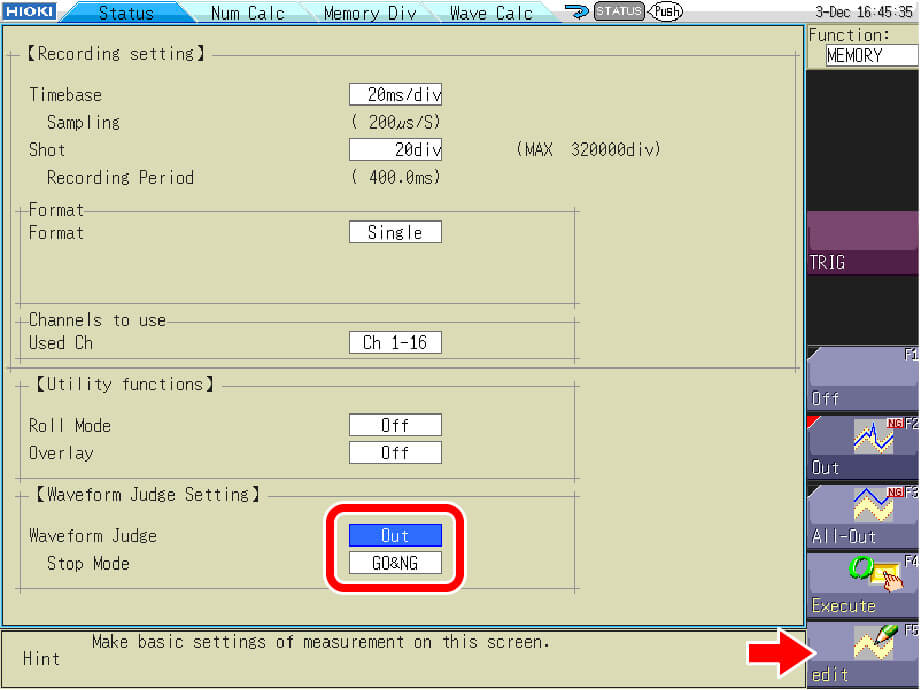
2. Set the waveform judgment function to "Out"
In the status screen, set "Waveform Judge" to "Out" and open the Area Creation Screen by selecting "Edit".
3. Import the waveform
Import the waveform of a good sample to set the basis for the judgment area.
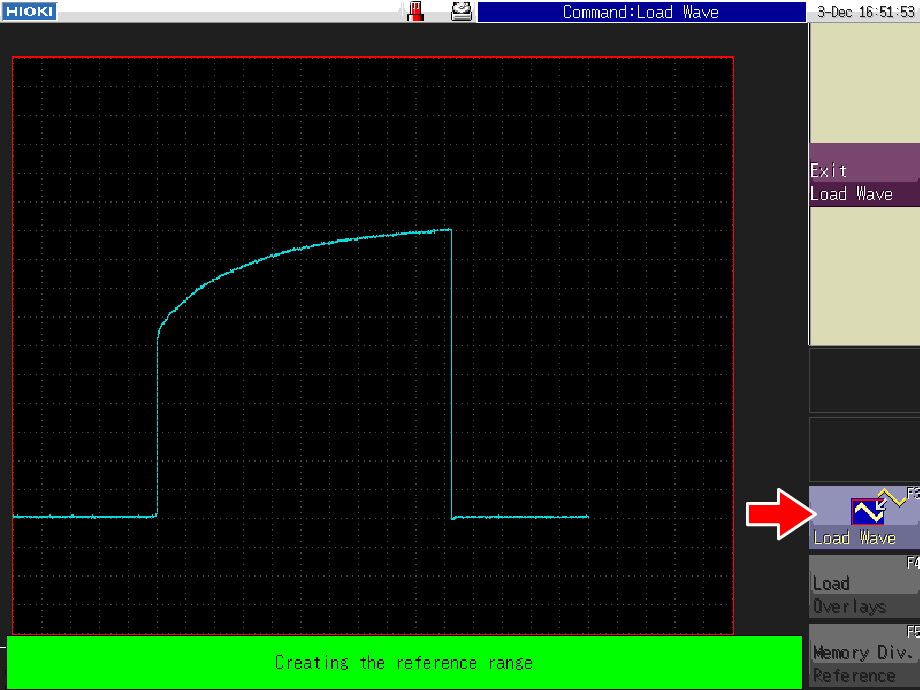
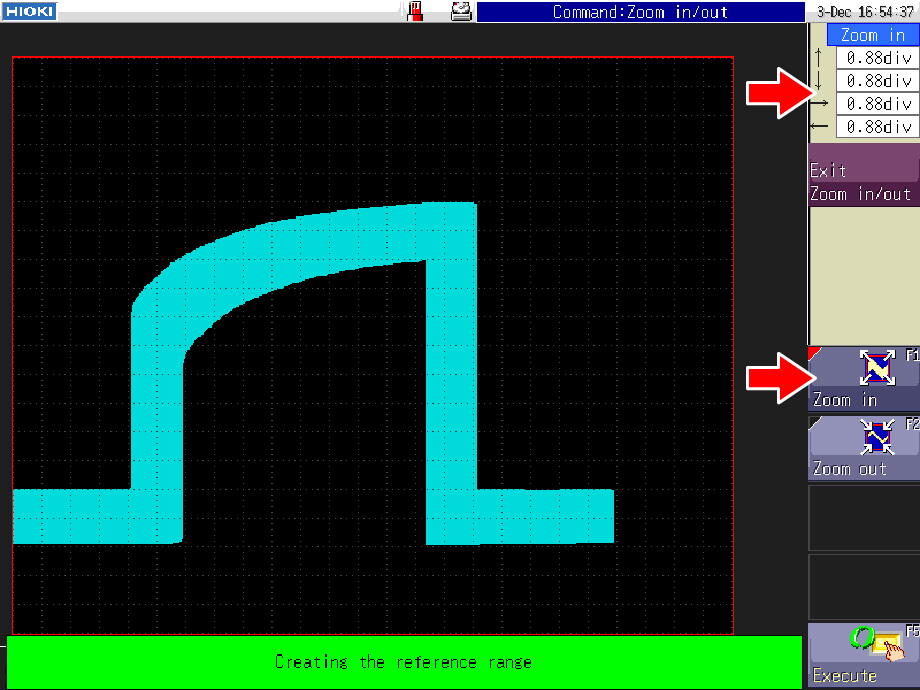
4. Create the area
Use the "Zoom in" command to stretch/widen (up, down, left, and right) the waveform into a judgement area.
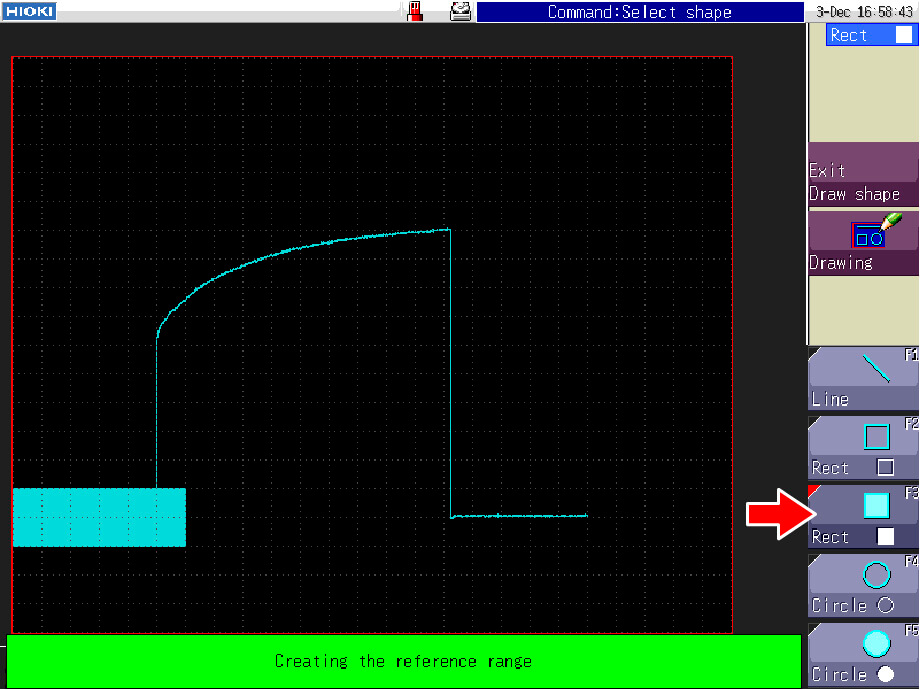
You can also draw the area using "Draw shape" (line, rectangle, and circle).
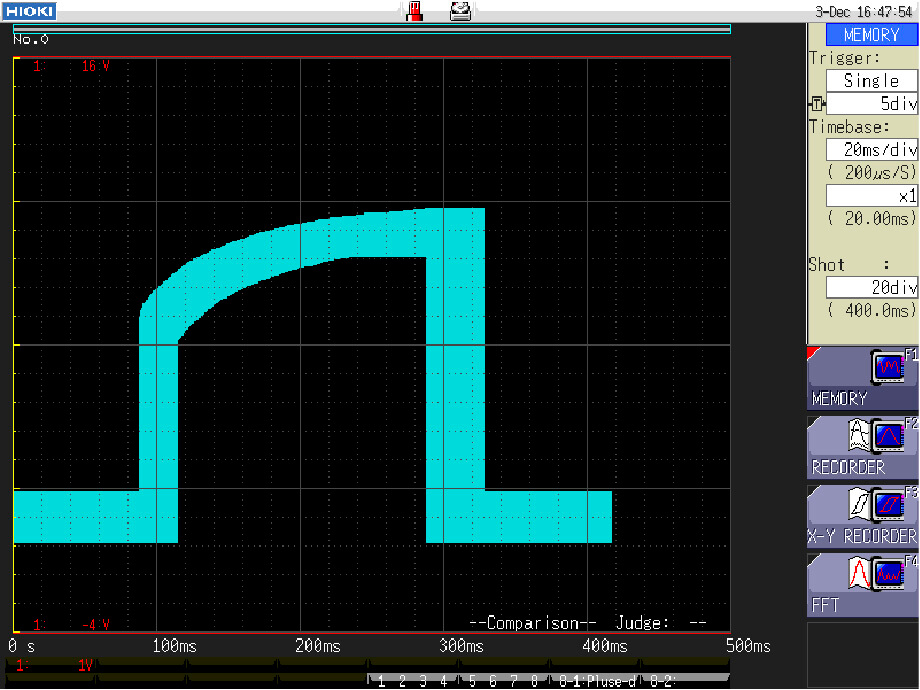
5. Save and exit
Save the created judgment area and exit the Area Creation Screen.
The area will be displayed on the waveform screen.
6. Execute judgment
Press the START key to begin measurement, and waveform judgment will automatically be executed.
Summary: Perform Durable Testing Comfortably & Reliably with the MR8848
In product development and quality assurance, operational verification during durability testing is indispensable.
However, the burden of long-duration testing and visual verification poses significant challenges for engineers.
The "Waveform Judgment" function of the MR8848 addresses these challenges.
This makes durability testing more efficient and reliable than visual inspections.
For detailed product information, please visit our website.
For a demonstration or consultation on a specific application, please contact us.
Reference
- Applications : Durability Assessment of Motors Based on Temperature and Power Data in Endurance Testing